From Log to a look.
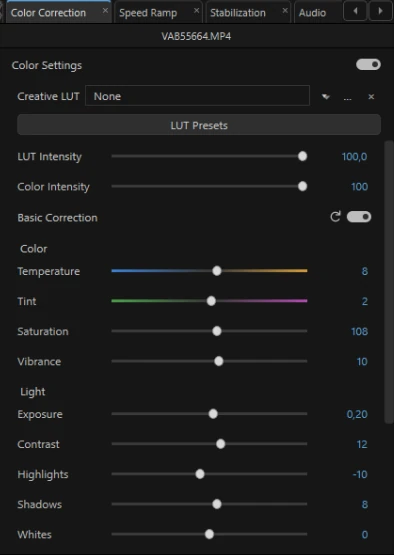
Input and creative LUTs, light and color controls, wheels, curves and selective corrections. Use Shot Match to help bring neighboring shots together, then make it your own.
DESKTOP VIDEO EDITOR
IVEDITOR is a desktop video editor for editing, speech, sound, color and motion design. Less technical busywork. More room for your ideas.
A closer look at the editor in development
01 / SHAPE THE CONVERSATION
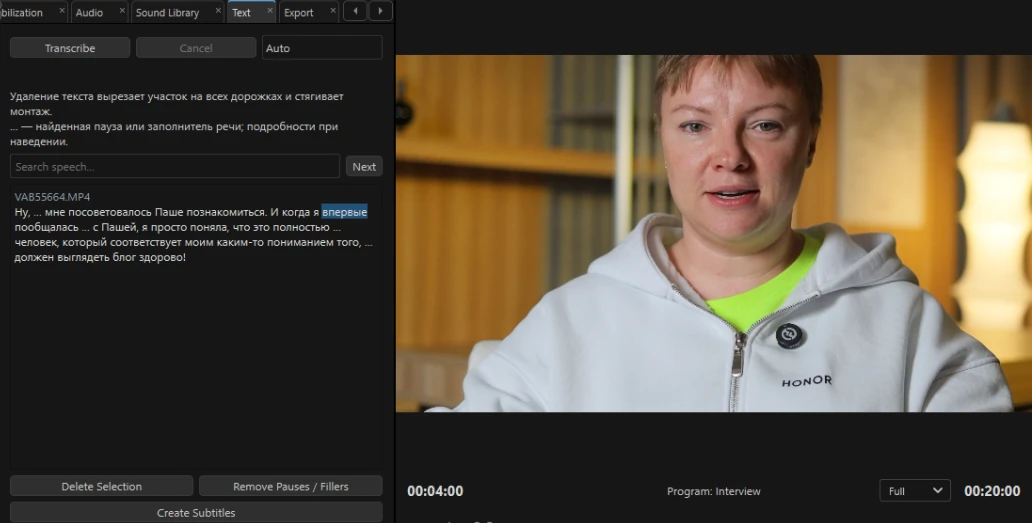
Find the phrase you need in the transcript and remove unwanted sections through the text. The edit follows. Then clean up the voice and create subtitles in the same editor.
For interviews, podcasts and any story that begins with a conversation.
Read and search the speech linked to your footage.
Remove unwanted sections through the transcript.
Clean up speech and create subtitles with a consistent style.
02 / FIND YOUR MATERIAL
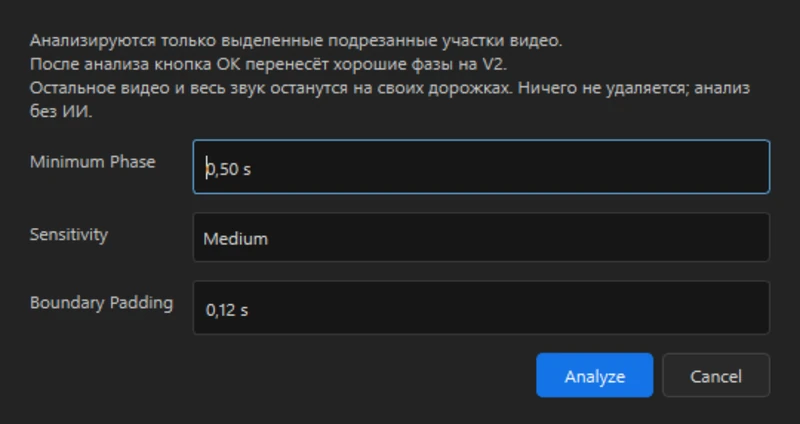
Choose a face from a frame and find that person across your project. Move smoother phases of movement to a separate track while keeping the remaining footage and audio. Keep alternative takes close for your final choice.
For event films, large shoots and projects with many versions of the same moment.
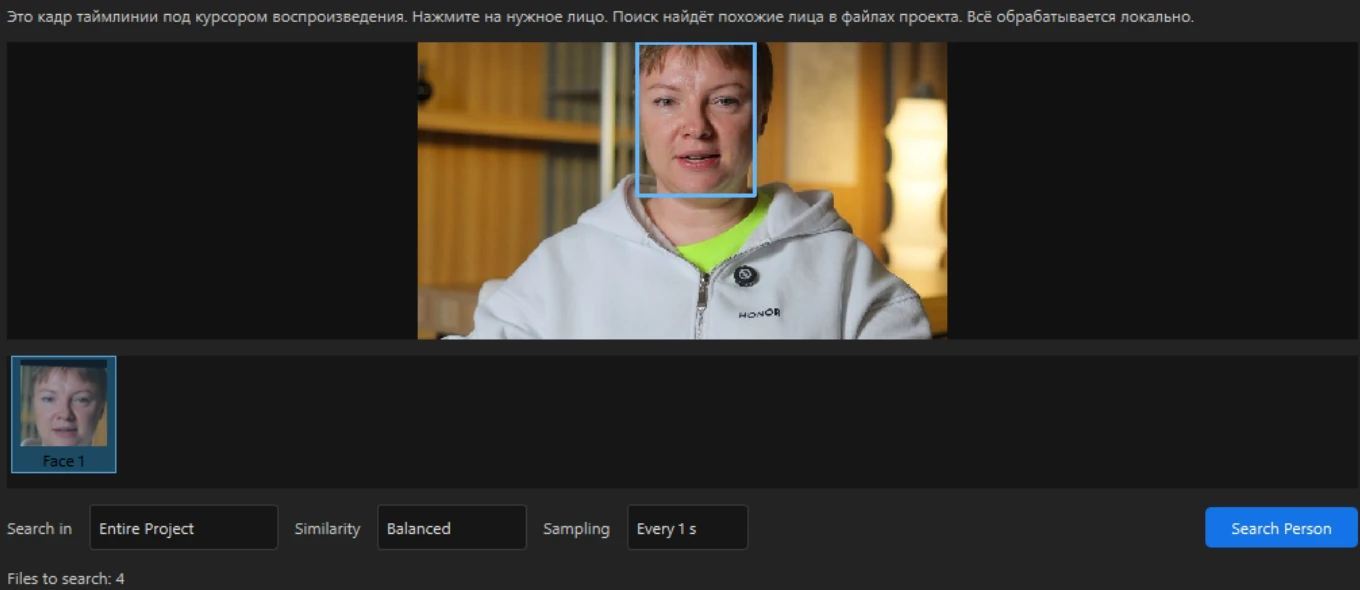
Search the project, or narrow it to selected folders and sequences.
Analyze movement to find smoother sections. Review the result yourself.
Preview alternatives and change the active take without crowding the timeline.
The selected video sections move to V2 at the same points in time. Other footage stays on V1. Audio stays where it was.
Illustrative workflow diagram with sample segments, not an interface recording or a real analysis result. Auto Select Phases analyzes movement; you make the creative choice.
03 / BRING THE IDEA TO LIFE
Send IVEDITOR’s instructions to your AI agent and describe how the text or logo should move. Review the draft in the editor, ask for changes and save graphics with a transparent background for your project.
For animated lettering, your own PNG logo, diagrams and explanatory graphics.
AN EXAMPLE BRIEF FOR YOUR AGENT
Animate my PNG logo: reveal it gently, add a short underline, and keep the background transparent.
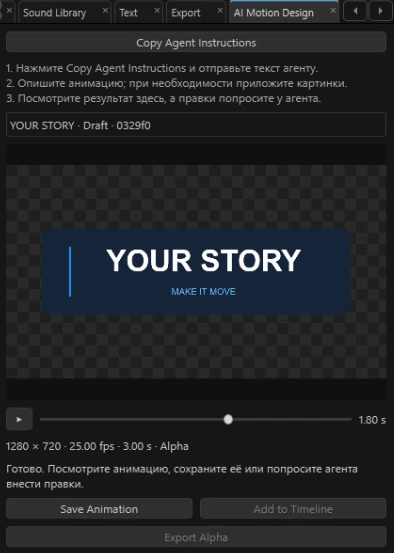
Copy the agent instructions from IVEDITOR and explain the animation you want.
Review the draft in the editor. Ask your agent to adjust the details.
Save the animation and place the graphic in your edit.
Requires a connected external AI agent. Agent access and usage terms are separate. This is not a promise of included AI subscriptions or photorealistic video generation.
04 / THE FINISH
Color, sound and stabilization sit within the same editing workflow. Adjust the result with intention, not another round of app switching.
Input and creative LUTs, light and color controls, wheels, curves and selective corrections. Use Shot Match to help bring neighboring shots together, then make it your own.
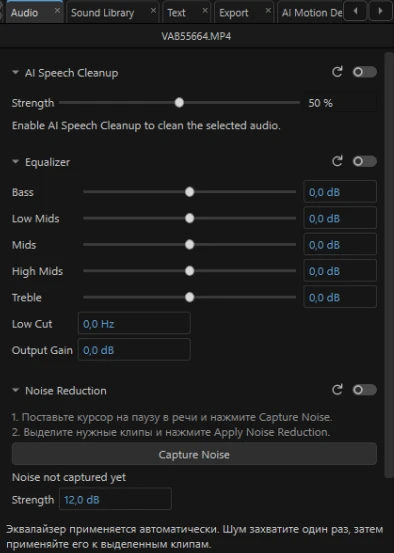
Work with three independent tools: AI speech cleanup, an equalizer and sampled-noise reduction. Capture a noise profile, reuse it and adjust each effect separately.
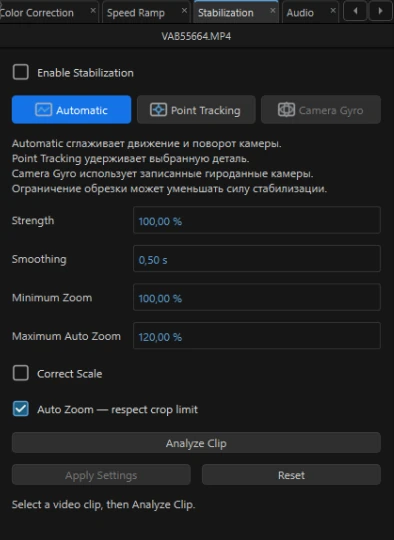
Automatic stabilization, point tracking and gyro-assisted stabilization for compatible BRAW footage. Choose the balance between smoothing and crop.
MADE FOR THE WORK OF MAKING
The best tools leave room for judgment. IVEDITOR connects the practical steps of post-production while keeping creative decisions with you.
MORE OF YOUR TOOLKIT
Bring multiple cameras together. Synchronize by sound or light events and switch between angles.
Pick a face from the timeline and search your project, selected folders or sequences for matching moments.
Detect beats, adjust instrumental music length with Music Remix and lower music under speech with Auto Ducking.
Select and refine objects, track masks over time and attach elements to movement. Complex scenes may need corrections.
Crop, resize, recolor, remove a solid background and add shapes, shadows or a glow without leaving your project.
Organize with folders and smart folders. Use proxies to lighten demanding source footage.
Control typography, spacing, outlines and shadows. Animate parameters with keyframes.
Manage export jobs, estimate output size and deliver supported video formats, including HLG 10-bit HDR.
NO MOCK INTERFACES
Actual screenshots from IVEDITOR. Open any image to inspect the controls.
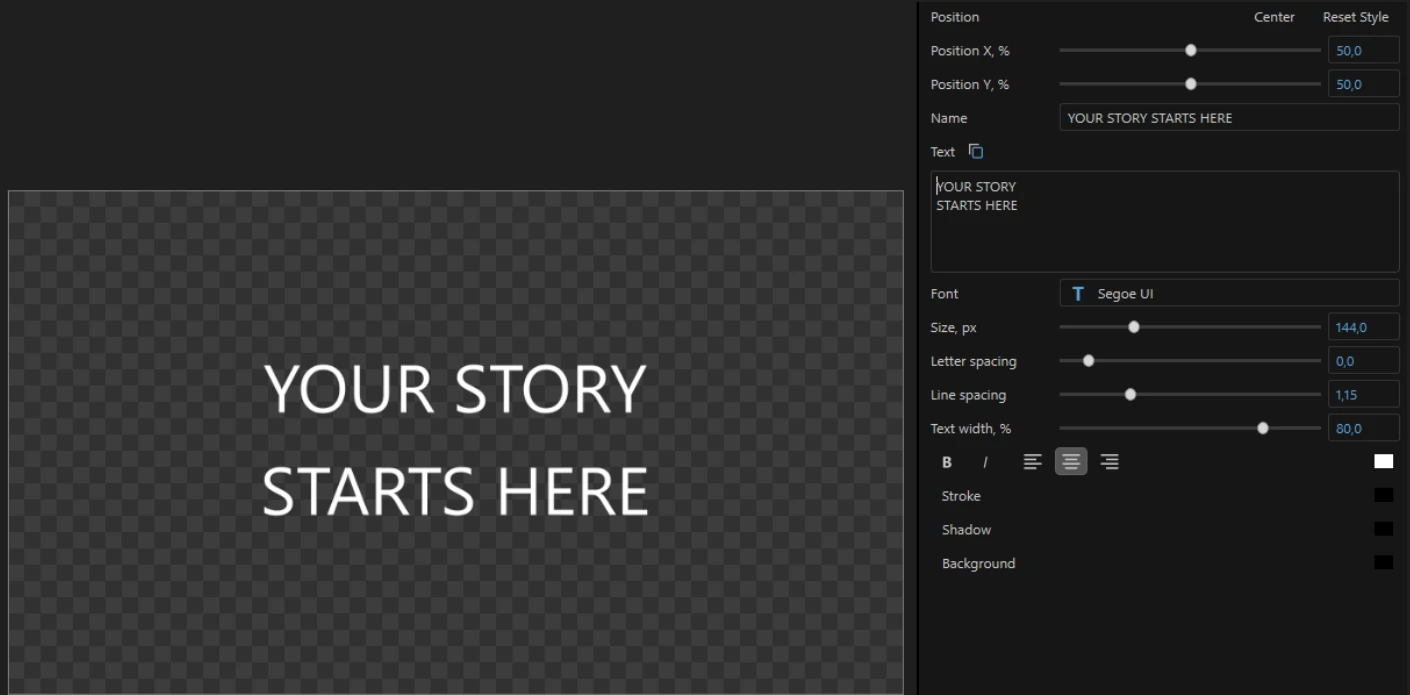
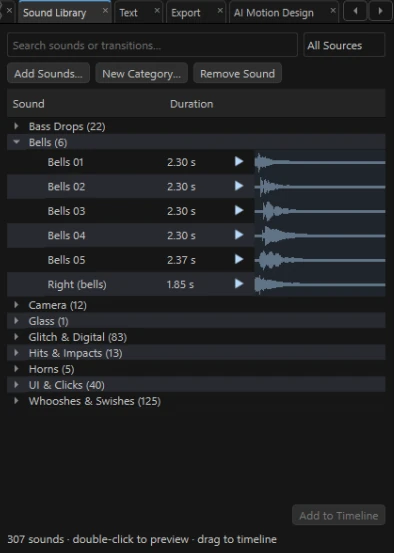
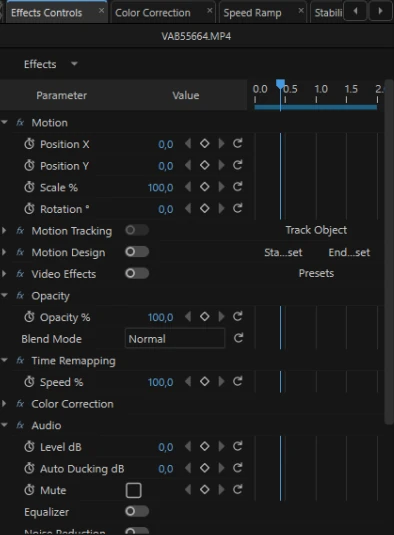
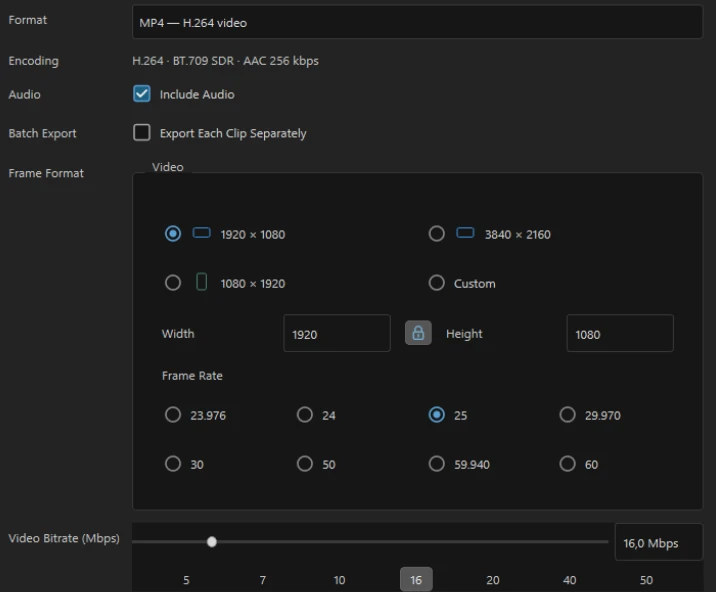
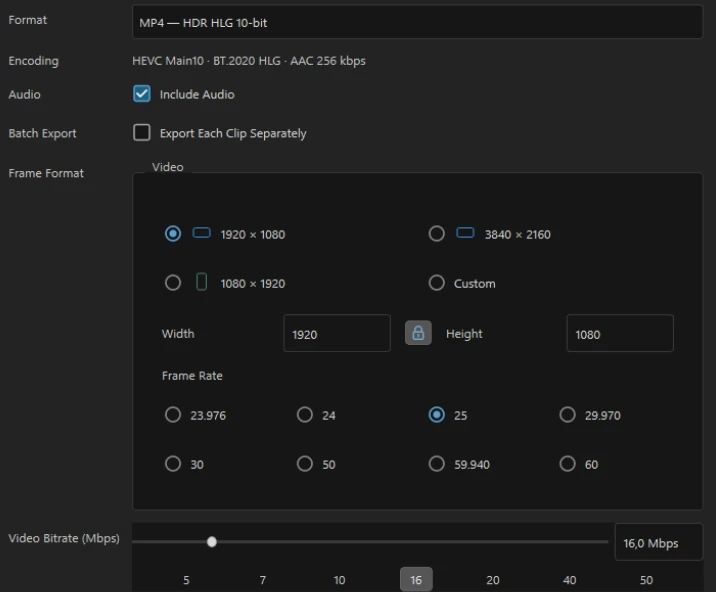
Real IVEDITOR interface · screenshots from the current development build
This site is a product introduction. Public download, pricing and subscription details have not been announced here. There is no checkout or paid subscription on this website.
The screenshots show the current Windows development build. A ready-to-download macOS version is not announced.
No included external-agent subscription is advertised. AI Motion Design works through an agent you connect. Its availability, terms and usage limits depend on that service.
No. Auto Select Phases analyzes movement to help you find smoother sections. It retains the other footage, and you review the result. It does not decide the artistic value of every shot.
HLG 10-bit export is supported; the regular editor preview is adapted to SDR. Gyro stabilization requires compatible data in BRAW footage. These are not claims of universal camera, Apple Log or Dolby Vision support.
The website is available in English and Russian. Screenshots preserve the real current interface, including its existing labels. Website translation does not imply a fully localized application.
IVEDITOR
Explore what is being built, and the workflows behind it.
Product preview · no public download or checkout